Description
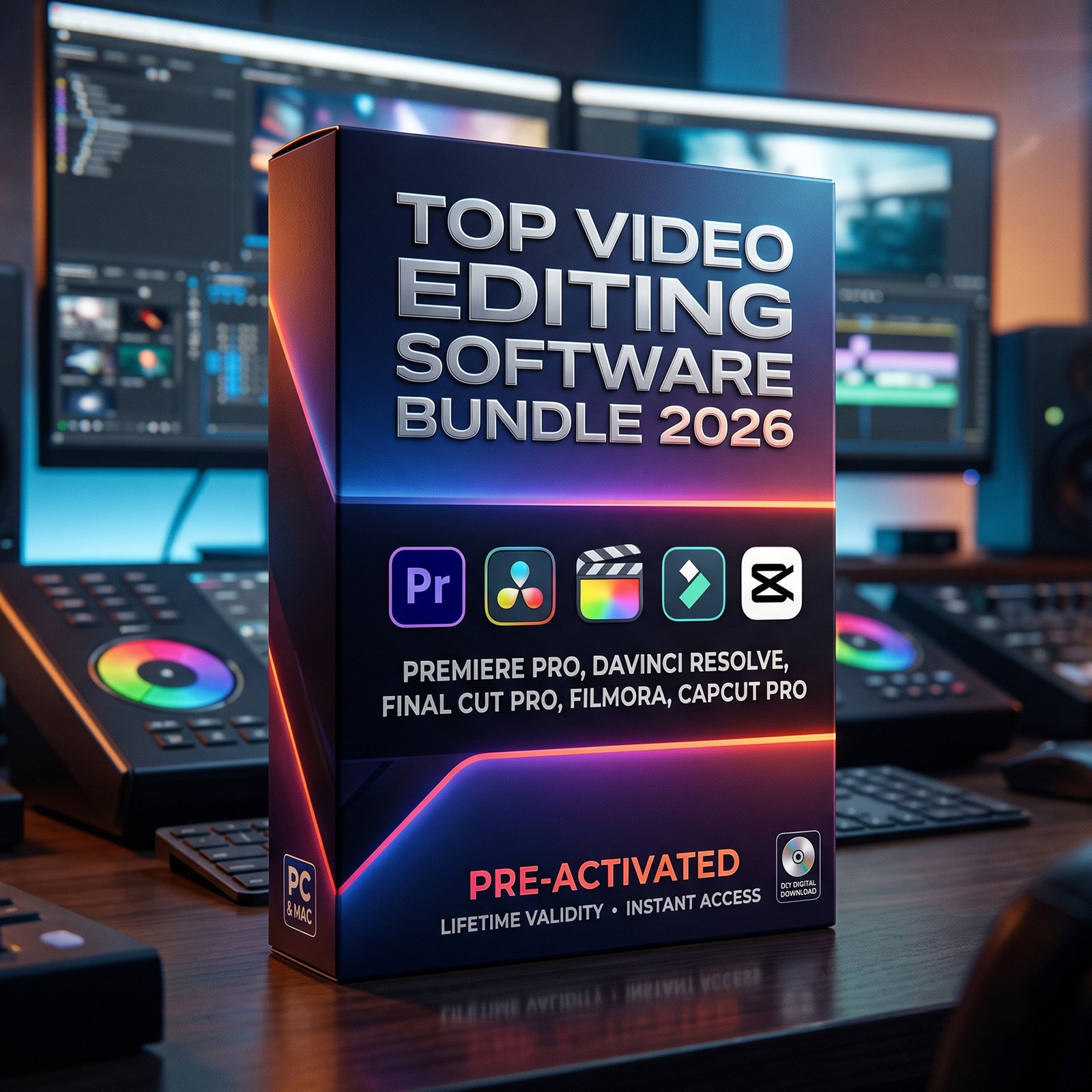
Ultimate Video Editing Software Bundle 2026
All-in-One Creator Pack – From Beginner to Pro (Windows & MacOS)
Take your content creation to the next level with the most powerful and trending video editing tools of 2026 — all in one bundle. Whether you’re a YouTuber, filmmaker, reels creator, or digital marketer, this pack gives you everything you need to create stunning videos.
Included Premium Software
1. Filmora 15 (Windows Only)
User-friendly video editor with drag-and-drop features, effects, and quick editing tools.
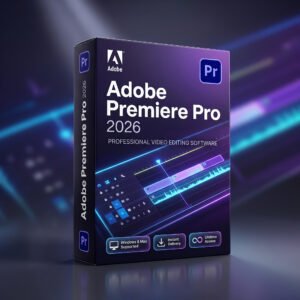
2. Premiere Pro 2026 (Windows & MacOS)
Professional industry-standard software for advanced editing, timelines, and creative workflows.
3. DaVinci Resolve Studio 20 (Windows & MacOS)
All-in-one solution for editing, color grading, VFX, and audio post-production.
4. Final Cut Pro 12 (MacOS Only)
Optimized for macOS with ultra-fast performance and smooth editing experience.
5. CapCut Pro (Without VPN For Windows Only)
Best for reels, shorts, and social media content with templates and auto-edit features.
Why This Bundle is Powerful?
 Covers Beginner to Professional Level
Works on Windows & macOS
Includes AI Editing Tools & Effects
Perfect for YouTube, Instagram, Ads, Films
No need to buy multiple software separately
Who Should Use This?
- YouTubers & Content Creators
- Freelancers & Video Editors
- Social Media Marketers
- Film & Media Students
- Digital Agencies
What Makes It Special?
Instead of relying on just one tool, this bundle gives you complete flexibility:
- Use Premiere Pro / DaVinci for pro projects
- Use CapCut / Filmora for fast content
- Use Final Cut Pro for Mac high-speed editing
– One bundle = Unlimited creative possibilities
Perfect For 2026 Creators
Modern video editing requires speed + creativity + AI tools, and this bundle delivers all three with top industry software combined in one package.
Frequently Asked Questions
1. When will I receive my product?
After successful payment, you’ll be redirected to the download page where available. Your download link will also be sent to your registered email address.
2. Where will I receive the download link?
Your download link will be sent to the email address you entered during checkout. Please also check your Spam, Promotions, or Updates folder if you don’t see the email in your inbox.
3. I have completed the payment but haven’t received my download link. What should I do?
First, check your registered email address and Spam/Promotions folder. If you still can’t find the download link, contact our Support Team with your order or payment details. We’ll check your purchase and help you access the product.
4. Is the product delivered physically?
No. God Creation Studio products are digital products. You will receive your purchased files, links, templates, presets, LUTs, or other digital content online. No physical product will be shipped.
5. Can I download my product again later?
Yes, where download access is provided through your account or order, you can access your available downloads again. If you face any problem accessing a previous purchase, contact our Support Team.
6. What if my download link is not working?
Don’t worry. If your download link is not opening or the file cannot be downloaded, contact our Support Team. We’ll check the issue and help you get access to your purchased product.
7. What if the downloaded file is corrupted or incomplete?
If you receive a corrupted or inaccessible file, please contact us as soon as possible. Our team will verify the issue and help resolve it.
8. Will I get a tutorial or installation guide?
Some products include a step-by-step video tutorial, installation guide, or usage instructions. If a tutorial or guide is included, it will be mentioned on the respective product page.
9. Will LUTs work with my editing software?
Compatibility depends on the specific LUT pack. Our LUT products are designed for popular editing applications, and the supported software is listed on the respective product page. Please check the product description before purchasing.
10. Will presets work with both Lightroom and Photoshop?
It depends on the preset pack you purchase. The product page clearly mentions whether the presets are compatible with Lightroom, Photoshop, or both.
11. Can I edit the Wedding Invitation Projects?
Yes. If the product is an editable project/template, you can customize supported elements such as names, dates, photos, text, and other details according to your requirements. The required software is mentioned on the product page.
12. Do I need any special software to use the templates or editing assets?
Some products require specific software such as Adobe Premiere Pro, After Effects, Photoshop, Lightroom, or other compatible applications. Please check the product description for the required software and compatibility before purchasing.
13. Are your digital products suitable for beginners?
Yes. Many of our products are designed to be easy to use for both beginners and professionals. Some products also include tutorials or guides to help you get started.
14. Can I use the products for my client projects?
Usage rights depend on the specific product and its license terms. Please check the product description and applicable terms before using any purchased asset for commercial or client work.
15. Can I share or resell the purchased files?
No. Purchased digital products are intended for use according to their applicable license terms. You must not redistribute, resell, upload, or share the original files unless the product specifically allows it.
16. Do you offer refunds for digital products?
Because digital products are delivered electronically and can be accessed immediately, purchases are generally non-refundable after purchase and delivery. Exceptions may apply in cases such as duplicate payment or a genuine file/access issue that cannot be resolved by our Support Team.
17. What if I accidentally purchase the same product twice?
If you have made a duplicate payment or accidentally purchased the same product more than once, contact our Support Team with your order/payment details. We’ll verify the transaction and assist you accordingly.
18. What if I entered the wrong email address during checkout?
Please contact our Support Team as soon as possible with your order details and the correct email address. We’ll check your order and assist you with the delivery.
19. Is my payment information secure?
Payments are processed through secure third-party payment services. God Creation Studio does not directly store your card or sensitive payment details.
20. What should I do if my payment was successful but my order is not showing?
Please allow some time for the payment/order status to update. If your payment has been deducted but you have not received your order or download access, contact our Support Team with your payment or transaction details.
21. Do I need to create an account to purchase a product?
Depending on the checkout options available, you may be able to purchase using guest checkout or through an account. We recommend using a valid email address during checkout because your order and download information may be sent there.
22. How can I contact the Support Team?
If you have any questions regarding your order, download, installation, or product access, you can contact our Support Team through the Contact Us page or the support details provided on our website.
23. What are your support hours?
Our Support Team is available Monday to Saturday, 10:00 AM to 6:00 PM (IST). Sunday is closed.
24. What types of products do you sell?
God Creation Studio offers a range of digital products for photographers, videographers, editors, and content creators, including LUTs, Lightroom presets, software & tools, wedding invitation projects, templates, plugins, effects, transitions, and other professional editing assets.
25. How do I know which product is right for me?
Each product page includes information about its features, included files, compatibility, and intended use. We recommend reading the complete product description before purchasing. If you’re still unsure, you can contact our Support Team for assistance.
26. Can I get help after purchasing a product?
Yes. If you face a reasonable issue related to downloading, accessing, or using your purchased product, you can contact our Support Team. We’ll guide you through the available solution.
27. Do I need to pay any recurring subscription fee?
This depends on the product. Some products are one-time digital purchases, while certain services or access-based products may have their own validity period. Please check the individual product page for exact details.
28. What happens after I place my order?
Once your payment is successfully processed, your order is recorded and the applicable digital delivery process begins. Depending on the product, you may receive immediate download access, a download link by email, or specific delivery instructions.
29. Can I purchase products from anywhere in India?
Yes. God Creation Studio provides digital products online, so customers across India can purchase and receive eligible digital products without physical shipping.
30. I still have a question. How can I get help?
We’re happy to help. If your question is not answered here, contact the God Creation Studio Support Team and provide your order number or purchase details whenever possible. Our team will assist you with your query.

 Lifetime Activation – No Subscription
 Covers Beginner to Professional Level
Salman Siddiqui –
Relevant for digital creators who work with video.
Dinesh Pawar –
The product concept is easy to understand.
Lalit Mehta –
A focused bundle for people interested in video editing.
Akshay Kumar –
A good option to explore different editing tools.
Shahid Khan –
The variety of tools makes the bundle interesting.
Arif Hussain –
A useful category to explore for video production.
Karan Malhotra –
Review the exact versions and licensing information before purchase.
Yusuf Pathan –
Choose the included tools that fit your projects.
Kamlesh Verma –
I can see this bundle being useful for editing projects.
Irfan Qureshi –
Relevant to people interested in video production.
Devendra Singh –
The included software details are important when evaluating this package.
Rajesh Mehta –
An interesting selection of tools for editing enthusiasts.
Vivek Mishra –
A product category aligned with video creation.
Shahid Khan –
The product looks promising for editing-related work.
Vinod Choudhary –
A convenient package for people interested in video editing.
Kunal Kapoor –
A bundle worth evaluating for your production workflow.
Akshay Kumar –
The product looks promising for editing-related work.
Harsh Vardhan –
A starting point for researching editing applications.
Vinod Choudhary –
A convenient way to discover several editing applications.
Varun Malhotra –
I can see this bundle being useful for editing projects.
Irfan Qureshi –
Reviewing the included tools helps assess their suitability.
Sachin Chauhan –
The collection is worth exploring before making a decision.
Pradeep Chauhan –
The software collection looks promising for creators.
Rajesh Mehta –
Consider the system requirements and included features before buying.
Imran Sheikh –
Could suit creators who regularly produce social media videos.
Tarun Arora –
An interesting resource category for video creators.
Ganesh Pawar –
Could be useful for creators working on different projects.
Rakesh Kumar –
A resource worth checking out for video editors.
Brijesh Patel –
A practical idea for people researching editing software.
Vikas Pandey –
A potentially useful resource for content creators.
Vinod Choudhary –
Having the tools listed together makes browsing convenient.
Pankaj Patel –
A potentially useful resource for content creators.
Rohan Kulkarni –
Relevant for people who regularly create video content.
Neeraj Singh –
Consider the system requirements and included features before buying.
Ravindra Kumar –
A practical idea for people researching editing software.
Suraj Gupta –
Relevant for people exploring video editing applications.
Lokesh Yadav –
A practical concept for video editing enthusiasts.
Danish Khan –
A convenient package for people interested in video editing.
Rohan Kulkarni –
A relevant option to research for video editing needs.
Mahesh Solanki –
An interesting resource category for video creators.
Tarun Arora –
Check compatibility, licensing, support and delivery details before ordering.
Amit Verma –
Useful to compare available tools against your editing needs.
Vikas Pandey –
Having multiple editing tools together is a practical idea.
Ajay Solanki –
The package is presented in a straightforward way.
Jitendra Singh –
Useful to compare available tools against your editing needs.
Vinod Choudhary –
A convenient package for people interested in video editing.
Arif Hussain –
Review compatibility and included features before purchasing.
Shahid Khan –
A relevant product category for digital content creators.
Bhavesh Patel –
A useful category of resources for video creators.
Ankit Singh –
Beginners can review the listed tools to find a suitable fit.
Akshay Kumar –
Relevant to editors looking for workflow options.
Akshay Kumar –
A relevant option to research for video editing needs.
Tarun Arora –
Useful for comparing different editing software options.
Asif Ali –
A product category aligned with video creation.
Tushar Agarwal –
The product looks promising for editing-related work.
Brijesh Patel –
Could be relevant for people who frequently edit videos.
Danish Khan –
Filmmakers can explore the listed tools for their workflow.
Karan Malhotra –
Putting multiple software options together is convenient.
Amit Verma –
Relevant to creators working on regular video projects.
Faisal Ansari –
Check the full list to see whether it meets your requirements.
Himanshu Singh –
Filmmakers can explore the listed tools for their workflow.
Vivek Mishra –
Useful for comparing different editing software options.
Harendra Kumar –
An interesting collection for creative workflows.
Salman Siddiqui –
Video editing bundles can be useful when the included tools fit your needs.
Mahesh Solanki –
A toolkit concept worth exploring in detail.
Niraj Yadav –
Review compatibility and included features before purchasing.
Harsh Vardhan –
Relevant for digital creators who work with video.
Kunal Kapoor –
A relevant collection for people interested in digital editing.
Suraj Gupta –
Relevant to creators working on regular video projects.
Varun Malhotra –
The bundle offers several tools in one place.
Niraj Yadav –
Having multiple editing tools together is a practical idea.
Shubham Tripathi –
A bundle worth considering for content creators.
Suresh Patel –
A focused bundle for people interested in video editing.
Himanshu Singh –
The product concept is easy to understand.
Dinesh Pawar –
Video editing bundles can be useful when the included tools fit your needs.
Vivek Mishra –
Relevant to people producing videos for online platforms.
Ganesh Pawar –
Relevant for people doing regular creative video work.
Manish Tiwari –
A convenient way to review the available software options.
Vinod Choudhary –
A relevant option to research for video editing needs.
Chandan Singh –
The product concept is easy to understand.
Suresh Patel –
A bundle worth evaluating for your production workflow.
Ankit Singh –
A bundle worth considering for content creators.
Manish Tiwari –
Relevant for people who regularly create video content.
Arif Hussain –
Filmmakers can explore the listed tools for their workflow.
Keshav Joshi –
A convenient place to start comparing editing software.
Vinod Choudhary –
Could be relevant for people who frequently edit videos.
Jitendra Singh –
A bundle to consider when researching editing tools.
Bhavesh Patel –
Could be relevant for people who frequently edit videos.
Mukesh Sharma –
An interesting resource category for video creators.
Dinesh Pawar –
A collection worth checking against your system requirements.
Rajesh Mehta –
An interesting selection of tools for editing enthusiasts.
Sameer Khan –
Check compatibility, licensing, support and delivery details before ordering.
Nikhil Jain –
The product concept is easy to understand.
Vinod Choudhary –
Made for an audience interested in video editing tools.
Chandan Singh –
An interesting resource category for video creators.
Salman Siddiqui –
An interesting category for video production enthusiasts.
Kamlesh Verma –
A relevant collection for people interested in digital editing.
Irfan Qureshi –
A bundle worth evaluating for your production workflow.
Ganesh Pawar –
Relevant to editors looking for workflow options.
Mayank Sinha –
A practical idea for people researching editing software.
Manish Tiwari –
An interesting collection for creative workflows.
Asif Ali –
Could be relevant for YouTubers researching editing software.
Rohan Kulkarni –
A product category worth exploring for editing enthusiasts.
Ajay Solanki –
A useful category of resources for video creators.
Bhavesh Patel –
Check the specifications to understand what’s included.
Rakesh Kumar –
Relevant for people who regularly create video content.
Pranav Sharma –
Could be relevant for YouTubers researching editing software.
Rakesh Kumar –
Check the full list to see whether it meets your requirements.
Devansh Gupta –
A convenient format for browsing multiple software options.
Umesh Tiwari –
A bundle worth considering for content creators.
Suresh Patel –
A toolkit concept worth exploring in detail.
Suraj Gupta –
Experienced editors may find some useful options here.
Suresh Patel –
A relevant collection for people interested in digital editing.
Ajay Solanki –
A good option to explore different editing tools.
Jitendra Singh –
Could be useful for creators working on different projects.
Lokesh Yadav –
A product category aligned with video creation.
Vikas Pandey –
A bundle worth evaluating for your production workflow.
Ankit Singh –
A useful category to explore for video production.
Sanjay Rathi –
A relevant product category for digital content creators.
Chandan Singh –
The bundle offers several tools in one place.
Asif Ali –
The product looks promising for editing-related work.
Kamlesh Verma –
The package is presented in a straightforward way.
Hemant Thakur –
An interesting collection for creative workflows.
Salman Siddiqui –
An interesting category for video production enthusiasts.
Mohit Bansal –
The bundle focuses on tools for video editing.
Rohan Kulkarni –
Worth reviewing the complete product specifications.
Ayaan Sheikh –
An interesting category for video production enthusiasts.
Vinod Choudhary –
Having multiple editing tools together is a practical idea.
Karan Malhotra –
The bundle may help editors explore their workflow options.
Ajay Solanki –
Consider the system requirements and included features before buying.
Niraj Yadav –
A bundle worth considering for content creators.
Sunil Choudhary –
Consider the system requirements and included features before buying.
Rohan Kulkarni –
Relevant to content creators who edit videos regularly.
Vivek Mishra –
Relevant to people building a video content workflow.
Ganesh Pawar –
Beginners can review the listed tools to find a suitable fit.
Javed Ali –
The bundle focuses on tools for video editing.
Kamlesh Verma –
A convenient way to review the available software options.
Sachin Chauhan –
Check the full list to see whether it meets your requirements.
Sunil Choudhary –
The variety of tools makes the bundle interesting.
Chandan Singh –
A collection worth checking against your system requirements.
Nitin Agarwal –
Putting multiple software options together is convenient.
Rohit Gupta –
A useful category of resources for video creators.
Asif Ali –
Check the full list to see whether it meets your requirements.
Shubham Tripathi –
Relevant for people exploring video editing applications.
Vikas Pandey –
Review compatibility and included features before purchasing.
Devendra Singh –
A toolkit concept worth exploring in detail.
Salman Siddiqui –
Check the specifications to understand what’s included.
Suraj Gupta –
Review the exact versions and licensing information before purchase.
Mahesh Solanki –
Relevant for people exploring video editing applications.
Ayaan Sheikh –
A convenient place to start comparing editing software.
Pradeep Chauhan –
The collection is worth exploring before making a decision.
Pranav Sharma –
Useful for comparing tools for a personal editing workflow.
Faizan Ahmed –
The collection covers an interesting range of editing needs.
Nitin Agarwal –
A resource worth checking out for video editors.
Sameer Khan –
Reviewing the included tools helps assess their suitability.
Vikas Pandey –
An interesting selection of tools for editing enthusiasts.
Prashant Dubey –
The variety of tools makes the bundle interesting.
Ankit Singh –
Filmmakers can explore the listed tools for their workflow.
Suresh Patel –
Review the exact versions and licensing information before purchase.
Rohit Gupta –
Useful to compare available tools against your editing needs.
Bhavesh Patel –
Could be useful for creators working on different projects.
Manish Tiwari –
Having the tools listed together makes browsing convenient.
Danish Khan –
The package is presented in a straightforward way.
Gaurav Saxena –
Relevant to people building a video content workflow.
Abhay Singh –
A relevant collection for people interested in digital editing.
Ankit Singh –
A relevant product category for digital content creators.
Keshav Joshi –
I can see this bundle being useful for editing projects.
Tejas Shah –
Experienced editors may find some useful options here.
Harsh Vardhan –
Review the exact versions and licensing information before purchase.
Shubham Tripathi –
Useful for comparing different editing software options.
Nitin Agarwal –
Review the software list to determine whether it suits your needs.
Rakesh Kumar –
Reviewing the included tools helps assess their suitability.
Rohan Kulkarni –
Could be useful for creators working on different projects.
Ashish Jain –
Relevant for people doing regular creative video work.
Yusuf Pathan –
A convenient format for browsing multiple software options.
Sachin Chauhan –
A useful category to explore for video production.
Kunal Kapoor –
A collection worth checking against your system requirements.
Vivek Mishra –
Could be relevant for people who frequently edit videos.
Mayank Sinha –
Having the tools listed together makes browsing convenient.
Hemant Thakur –
A relevant product category for digital content creators.
Salman Siddiqui –
Relevant to creators working on regular video projects.
Asif Ali –
A relevant product category for digital content creators.
Tarun Arora –
A useful starting point for exploring editing software.
Ravindra Kumar –
A product category worth considering for short-form creators.
Varun Malhotra –
The collection is worth exploring before making a decision.
Arif Hussain –
Relevant to content creators who edit videos regularly.
Harendra Kumar –
Check the full list to see whether it meets your requirements.
Manish Tiwari –
Choose the included tools that fit your projects.
Ganesh Pawar –
Check the full list to see whether it meets your requirements.
Akshay Kumar –
A product category aligned with video creation.
Aditya Joshi –
The collection is worth exploring before making a decision.
Karan Malhotra –
An interesting selection of tools for editing enthusiasts.
Kamlesh Verma –
A convenient format for browsing multiple software options.
Pradeep Chauhan –
Relevant to content creators who edit videos regularly.
Ajay Solanki –
The product looks promising for editing-related work.
Niraj Yadav –
Relevant to people producing videos for online platforms.
Kapil Sharma –
Could suit creators who regularly produce social media videos.
Ritesh Pandey –
Relevant to people building a video content workflow.
Sameer Khan –
A product category worth exploring for editing enthusiasts.
Pankaj Patel –
An interesting selection of tools for editing enthusiasts.
Karan Malhotra –
Relevant to creators working on regular video projects.
Suresh Patel –
Review the exact versions and licensing information before purchase.
Rahul Sharma –
The product looks promising for editing-related work.
Mukesh Sharma –
Relevant to people producing videos for online platforms.
Akshay Kumar –
Review the software list to determine whether it suits your needs.
Mohit Bansal –
A resource worth checking out for video editors.
Irfan Qureshi –
A convenient place to start comparing editing software.
Amit Verma –
Reviewing the included tools helps assess their suitability.
Rohit Gupta –
A product category worth considering for short-form creators.
Shahid Khan –
A bundle worth considering for content creators.
Chandan Singh –
Video editing bundles can be useful when the included tools fit your needs.
Javed Ali –
Relevant to creators working on regular video projects.
Rajesh Mehta –
The product looks promising for editing-related work.
Saurabh Mishra –
An interesting resource category for video creators.
Ankit Singh –
A convenient way to review the available software options.
Ravindra Kumar –
Made for an audience interested in video editing tools.
Tejas Shah –
Useful for comparing tools for a personal editing workflow.
Tarun Arora –
A useful starting point for exploring editing software.
Sanjay Rathi –
Relevant to content creators who edit videos regularly.
Ajay Solanki –
Relevant for digital creators who work with video.
Tejas Shah –
An interesting selection of tools for editing enthusiasts.
Abhay Singh –
Could be relevant for people who frequently edit videos.
Arif Hussain –
A relevant option to research for video editing needs.
Sameer Khan –
Useful for comparing different editing software options.
Irfan Qureshi –
Relevant to people building a video content workflow.
Gaurav Saxena –
The bundle offers several tools in one place.
Abhishek Srivastava –
Could be relevant for YouTubers researching editing software.
Vivek Mishra –
Check compatibility, licensing, support and delivery details before ordering.
Asif Ali –
A potentially useful resource for content creators.
Tejas Shah –
A convenient way to discover several editing applications.
Mukesh Sharma –
The collection covers an interesting range of editing needs.
Rakesh Kumar –
Made for an audience interested in video editing tools.
Tejas Shah –
The bundle may help editors explore their workflow options.
Niraj Yadav –
Review the software list to determine whether it suits your needs.
Mayank Sinha –
Review the exact versions and licensing information before purchase.
Sanjay Rathi –
A straightforward digital product concept for editors.
Sunil Choudhary –
A convenient way to review the available software options.
Suresh Patel –
A starting point for researching editing applications.
Deepak Kumar –
A convenient format for browsing multiple software options.
Lalit Mehta –
The bundle may help editors explore their workflow options.
Salman Siddiqui –
Relevant to people interested in video production.
Faizan Ahmed –
Made for an audience interested in video editing tools.
Ritesh Pandey –
The product looks promising for editing-related work.
Asif Ali –
Relevant for digital creators who work with video.
Harsh Vardhan –
A convenient way to review the available software options.
Devansh Gupta –
Consider the system requirements and included features before buying.
Sameer Khan –
Check compatibility, licensing, support and delivery details before ordering.
Jitendra Singh –
A bundle worth evaluating for your production workflow.
Deepak Kumar –
Check compatibility, licensing, support and delivery details before ordering.
Ashish Jain –
The product looks promising for editing-related work.
Faisal Ansari –
A product category worth considering for short-form creators.
Sunil Choudhary –
Putting multiple software options together is convenient.
Ankit Singh –
Relevant to people producing videos for online platforms.
Shahid Khan –
Check the full list to see whether it meets your requirements.
Suresh Patel –
An interesting resource category for video creators.
Ashish Jain –
The bundle focuses on tools for video editing.
Rahul Sharma –
Relevant for people who regularly create video content.
Rajesh Mehta –
A good option to explore different editing tools.
Nitin Agarwal –
A starting point for researching editing applications.
Aditya Joshi –
Review the exact versions and licensing information before purchase.
Niraj Yadav –
A convenient place to start comparing editing software.
Brijesh Patel –
Experienced editors may find some useful options here.
Himanshu Singh –
Experienced editors may find some useful options here.
Rehan Malik –
Relevant to people producing videos for online platforms.
Ankit Singh –
A category that may interest creators and editors.
Aditya Joshi –
A bundle worth considering for content creators.
Ravindra Kumar –
Useful to compare available tools against your editing needs.
Yash Thakur –
A product category aligned with video creation.
Chandan Singh –
Useful to compare available tools against your editing needs.
Suraj Gupta –
Could be useful for creators working on different projects.
Pradeep Chauhan –
A useful category of resources for video creators.
Ashish Jain –
Relevant for a variety of creative video projects.
Ravindra Kumar –
Relevant for people exploring video editing applications.
Yash Thakur –
An interesting resource category for video creators.
Vinod Choudhary –
The product details were easy to understand.
Ganesh Pawar –
The bundle focuses on tools for video editing.
Sanjay Rathi –
A convenient place to start comparing editing software.
Brijesh Patel –
A convenient way to discover several editing applications.
Manish Tiwari –
Check the specifications to understand what’s included.
Zaid Khan –
Having the tools listed together makes browsing convenient.
Amit Verma –
An interesting collection for creative workflows.
Aditya Joshi –
A relevant option to research for video editing needs.
Brijesh Patel –
Consider the system requirements and included features before buying.
Chandan Singh –
Made for an audience interested in video editing tools.
Mukesh Sharma –
An interesting resource category for video creators.
Nikhil Jain –
A product category aligned with video creation.
Lalit Mehta –
A practical idea for people researching editing software.
Faisal Ansari –
The bundle is focused on video editing needs.
Neeraj Singh –
Could be relevant for YouTubers researching editing software.
Pranav Sharma –
A toolkit concept worth exploring in detail.
Deepak Kumar –
A bundle to consider when researching editing tools.
Rahul Sharma –
The product concept is easy to understand.
Sanjay Rathi –
The product looks promising for editing-related work.
Rehan Malik –
Consider the system requirements and included features before buying.
Amit Verma –
Putting multiple software options together is convenient.
Ravindra Kumar –
Relevant to people producing videos for online platforms.
Ashish Jain –
Reviewing the included tools helps assess their suitability.
Javed Ali –
Relevant to editors looking for workflow options.
Rehan Malik –
A starting point for researching editing applications.
Pankaj Patel –
Relevant for people who regularly create video content.
Aditya Joshi –
A resource worth checking out for video editors.
Gaurav Saxena –
A useful starting point for exploring editing software.
Himanshu Singh –
A product category worth exploring for editing enthusiasts.
Nikhil Jain –
Useful for comparing different editing software options.
Vivek Mishra –
A convenient way to discover several editing applications.
Yash Thakur –
Check the full list to see whether it meets your requirements.
Naresh Kumar –
A practical concept for video editing enthusiasts.
Arif Hussain –
A bundle worth evaluating for your production workflow.
Niraj Yadav –
I can see this bundle being useful for editing projects.
Imran Sheikh –
A useful category of resources for video creators.
Mayank Sinha –
The product looks promising for editing-related work.
Irfan Qureshi –
Having multiple editing tools together is a practical idea.
Tejas Shah –
Filmmakers can explore the listed tools for their workflow.
Devendra Singh –
Relevant for a variety of creative video projects.
Arif Hussain –
The bundle offers several tools in one place.
Amit Verma –
A product category worth exploring for editing enthusiasts.
Harendra Kumar –
The product details were easy to understand.
Suraj Gupta –
Filmmakers can explore the listed tools for their workflow.
Omprakash Yadav –
The variety of tools makes the bundle interesting.
Pranav Sharma –
Made for an audience interested in video editing tools.
Yusuf Pathan –
A convenient way to discover several editing applications.
Tushar Agarwal –
A product category worth considering for short-form creators.
Chandan Singh –
Could be useful for creators working on different projects.
Sunil Choudhary –
Check compatibility, licensing, support and delivery details before ordering.
Jitendra Singh –
A good option to explore different editing tools.
Pradeep Chauhan –
Having the tools listed together makes browsing convenient.
Naresh Kumar –
Could be useful for creators working on different projects.
Akshay Kumar –
A resource worth checking out for video editors.
Tarun Arora –
Could suit creators who regularly produce social media videos.
Himanshu Singh –
A starting point for researching editing applications.
Tejas Shah –
A good option to explore different editing tools.
Arif Hussain –
Relevant to people producing videos for online platforms.
Naresh Kumar –
Relevant for people doing regular creative video work.
Brijesh Patel –
Review the exact versions and licensing information before purchase.
Brijesh Patel –
Relevant for people exploring video editing applications.
Mahesh Solanki –
Relevant for people exploring video editing applications.
Mohit Bansal –
A product category worth exploring for editing enthusiasts.
Rakesh Kumar –
Reviewing the included tools helps assess their suitability.
Pankaj Patel –
Reviewing the included tools helps assess their suitability.
Mohit Bansal –
I can see this bundle being useful for editing projects.
Faisal Ansari –
Could suit creators who regularly produce social media videos.
Yash Thakur –
A category that may interest creators and editors.
Rajesh Mehta –
Experienced editors may find some useful options here.
Danish Khan –
Filmmakers can explore the listed tools for their workflow.
Javed Ali –
The product details were easy to understand.
Ganesh Pawar –
A useful starting point for exploring editing software.
Karan Malhotra –
The bundle may help editors explore their workflow options.
Sunil Choudhary –
Consider the system requirements and included features before buying.
Abhay Singh –
A convenient way to review the available software options.
Ajay Solanki –
Relevant to people building a video content workflow.
Niraj Yadav –
A convenient way to review the available software options.
Hemant Thakur –
Check the full list to see whether it meets your requirements.
Neeraj Singh –
A relevant product category for digital content creators.
Gaurav Saxena –
A useful category to explore for video production.
Harsh Vardhan –
A useful category to explore for video production.
Irfan Qureshi –
Could suit creators who regularly produce social media videos.
Omprakash Yadav –
A bundle to consider when researching editing tools.
Yusuf Pathan –
Relevant to content creators who edit videos regularly.
Irfan Qureshi –
The bundle offers several tools in one place.
Mahesh Solanki –
I can see this bundle being useful for editing projects.
Keshav Joshi –
Relevant for people who regularly create video content.
Ashish Jain –
An interesting selection of tools for editing enthusiasts.
Manish Tiwari –
A product category aligned with video creation.
Lalit Mehta –
Check the specifications to understand what’s included.
Gaurav Saxena –
Putting multiple software options together is convenient.
Mohit Bansal –
A useful category to explore for video production.
Vikas Pandey –
Relevant to people building a video content workflow.
Imran Sheikh –
A focused bundle for people interested in video editing.
Yash Thakur –
A useful category to explore for video production.
Karan Malhotra –
The product looks promising for editing-related work.
Jitendra Singh –
Choose the included tools that fit your projects.
Tarun Arora –
Made for an audience interested in video editing tools.
Faisal Ansari –
A useful category to explore for video production.
Rohit Gupta –
A practical concept for video editing enthusiasts.
Ravindra Kumar –
A convenient way to discover several editing applications.
Rehan Malik –
A convenient way to review the available software options.
Dinesh Pawar –
Useful for comparing tools for a personal editing workflow.
Ganesh Pawar –
Review compatibility and included features before purchasing.
Varun Malhotra –
The bundle focuses on tools for video editing.
Faizan Ahmed –
Could be relevant for YouTubers researching editing software.
Mayank Sinha –
Relevant for digital creators who work with video.
Ankit Singh –
A starting point for researching editing applications.
Mahesh Solanki –
Review compatibility and included features before purchasing.
Vikas Pandey –
Experienced editors may find some useful options here.
Umesh Tiwari –
A practical concept for video editing enthusiasts.
Prashant Dubey –
I can see this bundle being useful for editing projects.
Pankaj Patel –
Could be useful for creators working on different projects.
Ankit Singh –
A useful category to explore for video production.
Harsh Vardhan –
The product looks promising for editing-related work.
Akshay Kumar –
A bundle worth evaluating for your production workflow.
Devendra Singh –
A category that may interest creators and editors.
Omprakash Yadav –
The included software details are important when evaluating this package.
Manish Tiwari –
An interesting category for video production enthusiasts.
Sunil Choudhary –
A toolkit concept worth exploring in detail.
Imran Sheikh –
The bundle offers several tools in one place.
Harsh Vardhan –
A toolkit concept worth exploring in detail.
Pranav Sharma –
A useful starting point for exploring editing software.
Devansh Gupta –
Relevant to people interested in video production.
Sameer Khan –
Relevant for people doing regular creative video work.
Ajay Solanki –
Consider the system requirements and included features before buying.
Pankaj Patel –
A resource worth checking out for video editors.
Mayank Sinha –
A useful category of resources for video creators.
Ravindra Kumar –
A useful category of resources for video creators.
Irfan Qureshi –
Review compatibility and included features before purchasing.
Arif Hussain –
A bundle worth considering for content creators.
Vivek Mishra –
Consider the system requirements and included features before buying.
Mohit Bansal –
A bundle worth evaluating for your production workflow.
Suraj Gupta –
Relevant for digital creators who work with video.
Mukesh Sharma –
Having the tools listed together makes browsing convenient.
Arjun Deshmukh –
A category that may interest creators and editors.
Sanjay Rathi –
The bundle may help editors explore their workflow options.
Rakesh Kumar –
Useful for comparing tools for a personal editing workflow.
Nitin Agarwal –
A convenient place to start comparing editing software.
Irfan Qureshi –
Video editing bundles can be useful when the included tools fit your needs.
Akshay Kumar –
A useful collection of video editing tools for creators.
Kunal Kapoor –
An interesting category for video production enthusiasts.
Sachin Chauhan –
A good option to explore different editing tools.
Zaid Khan –
Check compatibility, licensing, support and delivery details before ordering.
Karan Malhotra –
Relevant to editors looking for workflow options.
Sanjay Rathi –
A convenient format for browsing multiple software options.
Sanjay Rathi –
Useful to compare available tools against your editing needs.
Deepak Kumar –
A straightforward digital product concept for editors.
Suraj Gupta –
The bundle is focused on video editing needs.
Mahesh Solanki –
Experienced editors may find some useful options here.
Yash Thakur –
A convenient place to start comparing editing software.
Rahul Sharma –
A product category worth considering for short-form creators.
Faisal Ansari –
The package is presented in a straightforward way.
Neeraj Singh –
I can see this bundle being useful for editing projects.
Mohit Bansal –
Relevant to creators working on regular video projects.
Mohit Bansal –
The variety of tools makes the bundle interesting.
Tarun Arora –
Review the software list to determine whether it suits your needs.